
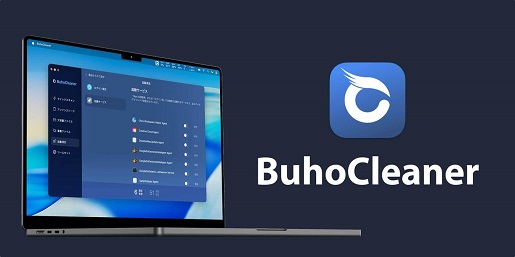
Buho Cleaner is a Mac cleaning tool that helps users remove junk files, app leftovers, duplicates, and large files. It is made to free up storage and keep a Mac more organized. Buho Cleaner looks simple and beginner-friendly, which makes it useful for people who do not want complicated tech steps. Still, users should download it from the official website and check files carefully before deleting anything.
What It Means
Buho Cleaner, also called BuhoCleaner, is a Mac cleaning and optimization software made for macOS users. It is designed to help people remove junk files, uninstall apps, find large files, delete duplicates, and free up storage space on a Mac. In simple words, Buho Cleaner is like a small digital broom for your Mac. It helps clean files you may not easily find by yourself.
When people ask, “Is Buho Cleaner legit?”, they usually want to know if the software is real, safe to install, and not a scam. This is a very fair question because Mac cleaner apps often ask for access to files, storage, and system areas. Nobody wants to download a “cleaner” that turns into a bigger mess than the junk files it promised to remove.
Based on current public information, Buho Cleaner is legit. It has an official website, public customer reviews, and is discussed by several Mac software review sites. Trustpilot lists Dr.Buho BuhoCleaner with strong user ratings and many reviews, while review articles describe it as a Mac optimization tool for cleaning caches, logs, temporary files, duplicates, and leftover app files.
However, saying Buho Cleaner is legit does not mean every user will love it or that every Mac needs it. Like any cleaning software, it should be used carefully. If you delete important files by mistake, even a genuine cleaner can create problems. So, the smart answer is: Buho Cleaner appears legitimate and safe for careful users, but you should download it only from the official source, read prompts before deleting files, and keep backups.
Is It Legit?
Yes, Buho Cleaner is legit. It appears to be a real Mac utility, not a fake mystery app. It has an official brand presence under Dr.Buho, customer reviews on Trustpilot, and multiple independent software comparison articles discussing its features. Trustpilot currently shows Dr.Buho BuhoCleaner with a high rating and many user reviews, including recent positive comments about the tool and support team.
A legit software product usually has some clear signs:
- An official website
- A named product and brand
- Clear features
- Public reviews
- A payment or license system
- Customer support channels
- Updates or version history
- Mentions from third-party reviewers
Buho Cleaner checks many of these boxes. It is not just a random pop-up app screaming, “Your Mac has 999 viruses!” That kind of scare tactic is a red flag. Buho Cleaner is presented more as a cleaning, uninstalling, and optimization tool.
Still, being legit does not mean it is perfect. Some people may not need it. macOS already has some built-in storage tools, and careful users can manually remove files. But for people who want a simpler interface, Buho Cleaner may be useful.
So, if you are asking, “Is Buho Cleaner legit?”, the simple answer is yes, it appears to be a legitimate Mac cleaning tool. But use it responsibly, especially when deleting large files or system-related junk.
Is It Safe?
Buho Cleaner is safe when downloaded from the official website and used properly. One review comparing BuhoCleaner with MacCleaner Pro says BuhoCleaner is notarized by Apple, meaning it has been scanned for malware before distribution. The same review also notes that it requests Full Disk Access so it can inspect caches and leftover files, which is normal for this type of Mac cleaner, but still something users should understand before granting permission.
That is important because Mac cleaner apps often need deep access to your storage. If you give Full Disk Access to a bad app, that could be dangerous. But if the app is genuine, notarized, and downloaded from the correct source, the risk is lower.
To use Buho Cleaner safely:
- Download it only from the official BuhoCleaner/Dr.Buho website.
- Avoid cracked, nulled, or pirated versions.
- Read each cleaning suggestion before clicking delete.
- Do not remove files you do not understand.
- Back up your Mac with Time Machine before deep cleaning.
- Be careful with duplicate file deletion.
- Review login items before removing them.
- Keep the app updated.
- Check refund and subscription terms before buying.
In my view, Buho Cleaner is safe for normal Mac cleanup tasks if you use common sense. But do not treat it like magic. If an app says it found 20GB of files, do not just smash the “remove” button like you are playing a video game. Check what will be deleted first.
Licensing and Regulation

If you are asking, “is Buho Cleaner legal?”, the answer is yes, Buho Cleaner appears to be legal software. It is a commercial Mac utility, and there is no clear public evidence from the reviewed sources showing that it is illegal or a scam.
Software like Buho Cleaner is usually regulated through normal consumer software laws, app distribution rules, privacy policies, payment terms, and licensing agreements. When you buy or download it, you are likely agreeing to a software license, not “owning” the software in the same way you own a chair.
Things you should check before buying include:
- License duration
- Number of devices covered
- Renewal policy
- Refund policy
- Privacy policy
- Terms of use
- Support availability
- Whether the license is one-time or subscription-based
A common source of Buho Cleaner complaints may not be the app itself, but confusion about payment plans, renewals, refunds, or what features are included in free versus paid versions. That is why you should always read the pricing page carefully.
So, is Buho Cleaner legal? Yes, it appears to be a legal and legitimate software product. But as with any paid app, read the license terms before entering your card details.
Game Selection
Buho Cleaner is not a casino or gaming platform, so “Game Selection” does not apply in the gambling sense. But in this review, we can understand “Game Selection” as the range of tools or features available inside the software.
Buho Cleaner offers several useful Mac cleaning and optimization features, such as:
- Junk file cleaning
- App uninstaller
- Large file finder
- Duplicate file finder
- Startup item management
- Memory cleaning
- System cleanup
- Cache removal
- Leftover file removal
- Disk space analysis
These features are the “games” you can play inside the app, but thankfully nobody is asking you to bet your rent money on a spinning wheel. The goal is simple: clean your Mac and free up storage.
A MacKeeper comparison review said BuhoCleaner performed effectively in a test, with a Flash Clean scan finishing quickly and finding a large amount of junk, mostly cache files from apps like Spotify and WhatsApp.
That sounds useful, especially if your Mac storage is always full. But remember: cache files can return over time because apps recreate them. So do not panic if your Mac gets “dirty” again. That is normal. Digital dust is stubborn.
Software Providers
Buho Cleaner itself is the software product, while Dr.Buho is the brand behind it. The product is built for macOS users, especially people who want a simple way to clean and manage storage. Trustpilot’s description says BuhoCleaner is an optimization tool designed for macOS, especially Apple Silicon devices, and that it removes unnecessary files like caches, logs, and temporary data.
The software provider matters because you should know who is behind the app. With Mac cleaner tools, you should avoid unknown developers, fake download sites, and copied versions. Many scam risks come from downloading software from the wrong place, not from the original product.
When choosing software like Buho Cleaner, ask:
- Is the developer visible?
- Is there an official website?
- Are updates available?
- Is there customer support?
- Are reviews available?
- Is the app notarized or trusted by macOS?
- Does the app explain why it needs permissions?
Buho Cleaner appears to be a genuine software product with enough public visibility to support its legitimacy. However, you should still download from the official source only. Random “free full version” websites are where trouble often wears a nice hat and smiles at you.
User Interface and Experience
One of Buho Cleaner’s main strengths is its simple user interface. Many reviews and users describe it as easy to use. Trustpilot reviews include comments praising the app for being simple, reliable, fast, and helpful for cleaning a Mac and removing apps with leftover files.
A good Mac cleaner should not make users feel confused. The interface should clearly show:
- What files were found
- How much space can be cleaned
- Which files are safe to remove
- Which apps can be uninstalled
- Which large files take up space
- What duplicates exist
- What startup items are active
Buho Cleaner seems to focus on a clean and beginner-friendly experience. This is good because many Mac users do not want to dig through Library folders manually. Let’s be honest: once you open system folders and see strange file names, it can feel like reading alien tax documents.
A simple interface helps users avoid mistakes, but it does not remove all risk. You should still review what the app suggests before deleting. Ease of use is good, but blind clicking is not.
Security Measures
Security is one of the most important parts of this review. Any app that cleans your Mac may need access to private files, app folders, caches, logs, and storage areas. That means trust is very important.
The positive sign is that BuhoCleaner has been described as Apple-notarized in a third-party comparison review, which means Apple scanned it for malware before distribution. This does not mean Apple personally recommends the app, but it is still a useful security signal.
Good security habits for using Buho Cleaner include:
- Install from the official website only.
- Avoid cracked software.
- Keep macOS updated.
- Keep Buho Cleaner updated.
- Use Time Machine backups.
- Read permission requests carefully.
- Grant only needed permissions.
- Remove permissions if you stop using the app.
- Avoid deleting system files manually.
- Do not trust fake ads pretending to be Buho Cleaner.
Buho Cleaner is safe when used properly, but users should remember that any cleaner can remove files. If you delete something important, the app may not be able to save you from your own enthusiastic clicking. That is why backups matter.
Customer Support
Customer support is another trust signal. If software has no support, no contact page, and no response to complaints, that is a bad sign. Buho Cleaner appears to have public customer support activity. On Trustpilot, the company replies to user reviews, including positive feedback, which suggests there is at least some active customer engagement.
Good customer support should help with:
- License activation issues
- Payment questions
- Refund requests
- App crashes
- Mac compatibility problems
- Feature questions
- Subscription or renewal concerns
- Troubleshooting after cleaning
Possible Buho Cleaner problems may include:
- App not opening after macOS update
- License key not working
- Cleaner removing more than expected
- Subscription confusion
- Refund delays
- Compatibility with older Mac systems
- Full Disk Access permission confusion
These problems do not automatically mean Buho Cleaner is a scam. Even good software has technical issues sometimes. The important thing is whether support responds and helps users solve them.
Before buying, it is smart to check the support page and refund policy. If you are unsure, try the free version first if available.
Payment Methods
Buho Cleaner is a paid software product with possible free trial or limited free features, depending on current offers. Since pricing can change, always check the official website before buying.
Common software payment methods may include:
- Credit card
- Debit card
- PayPal
- Online payment gateway
- License key purchase
- Subscription plan
- One-time plan, if offered
Payment safety matters. Before paying, check:
- Is the checkout page secure?
- Is the price clear?
- Is it a subscription or lifetime license?
- Will it renew automatically?
- Can you cancel easily?
- Is there a refund policy?
- How many Macs are included?
- Are taxes or extra fees added?
Many software complaints come from payment confusion, not because the app is fake. A user may think they bought lifetime access but actually bought a yearly subscription. That can lead to frustration and Buho Cleaner complaints.
So, if you want to avoid drama, read the checkout page like you are reading exam instructions. Small details can matter.
Bonuses and Promotions
Buho Cleaner may offer discounts, bundles, seasonal promotions, or limited-time deals. Mac utility apps often use promotions during holidays, product launches, or software events.
Promotions can be useful, but always check the terms. A discount does not automatically mean the deal is better. For example, one plan may cover one Mac, while another covers multiple Macs. One may renew yearly, while another may be one-time. The cheaper option is not always the best if it does not match your needs.
Before accepting a Buho Cleaner promotion, check:
- How long the license lasts
- Number of devices supported
- Renewal price
- Refund terms
- Whether future updates are included
- Whether the discount is real
- Whether the seller is official
Avoid third-party “too cheap to be true” offers. If someone is selling a lifetime license for the price of chewing gum, be careful. That may be a scam pretending to be Buho Cleaner.
Reputation and User Reviews
Buho Cleaner has a generally positive reputation online, especially among users who want a simple Mac cleaner. Trustpilot currently lists Dr.Buho BuhoCleaner with a strong rating and many positive reviews, including recent comments praising ease of use, support, and cleaning performance.
Third-party reviews also discuss BuhoCleaner as a real Mac cleaning utility. A MacKeeper comparison said BuhoCleaner was effective in testing and found a large amount of junk files quickly. Another comparison review noted Apple notarization and that the app ran without macOS security warnings on the reviewer’s test Mac.
Positive user review themes include:
- Easy to use
- Fast scanning
- Helpful for freeing space
- Good for uninstalling apps
- Simple interface
- Useful cleanup tools
- Responsive support
Possible negative themes may include:
- Some users may not need a cleaner
- Paid features may not suit everyone
- Risk of deleting files without checking
- Permission requests may worry beginners
- Payment or license confusion can happen
- Some users may prefer bigger-name competitors
Overall, the reputation is more positive than suspicious. I would not call Buho Cleaner a scam based on the available information. But I would still recommend using it carefully and reading recent reviews before buying.
Common Buho Cleaner Problems
Even if Buho Cleaner is legit, users may still face problems. Legit software can still have bugs, pricing concerns, or user mistakes.
Common Buho Cleaner problems may include:
- Not understanding what files are safe to delete
- Accidentally removing files needed by an app
- Confusion about Full Disk Access
- License activation issues
- Slow support during busy periods
- Subscription renewal confusion
- Compatibility problems after macOS updates
- Expecting huge speed improvements from cleaning alone
- Duplicate file deletion mistakes
To avoid these problems:
- Make a backup before cleaning.
- Review files before deletion.
- Do not delete duplicates blindly.
- Start with safe cleanup options.
- Keep the app updated.
- Read license terms before buying.
- Contact support if unsure.
- Do not expect miracles from any cleaner.
A cleaner can help your Mac, but it cannot turn a 10-year-old laptop into a spaceship. It can free space and improve organization, but performance also depends on hardware, macOS version, storage health, RAM, and running apps.
Is Buho Cleaner a Scam?
No, Buho Cleaner does not appear to be a scam. Based on public reviews, third-party comparisons, and its official product presence, Buho Cleaner is legit and appears to be a genuine Mac cleaner.
However, there are a few things to remember:
- Download only from the official source.
- Avoid fake versions or cracked copies.
- Read payment terms carefully.
- Use backups before deleting files.
- Do not expect impossible performance boosts.
- Check recent reviews before purchasing.
The app itself appears legitimate, but scam risks can come from fake download sites, fake discount pages, or pirated installers. That is why you should be careful where you get it.
Brief Buho Cleaner Legit and Safe Pros and Cons
Pros
- Buho Cleaner is legit and has public reviews.
- It is designed specifically for Mac users.
- It can remove junk files and free storage.
- It can help uninstall apps and leftover files.
- It has a simple interface.
- Reviews often mention fast cleaning.
- It may be useful for Apple Silicon Macs.
- Third-party reviews describe it as effective.
- It appears to have active customer support.
- It has positive user feedback on Trustpilot.
Cons
- It is not necessary for every Mac user.
- Some features may require payment.
- Users must be careful before deleting files.
- Full Disk Access permission may worry beginners.
- Payment terms should be checked carefully.
- It may not fix all Mac performance problems.
- Some users may prefer competitors like CleanMyMac or MacCleaner Pro.
- Deleting duplicate files without review can cause problems.
Safety Tips Before Using Buho Cleaner
Before installing or buying Buho Cleaner, use these simple tips:
- Download from the official website.
- Avoid pirated versions.
- Check recent reviews.
- Read the pricing page carefully.
- Back up your Mac with Time Machine.
- Start with basic cleaning.
- Review files before deleting.
- Do not remove files you do not understand.
- Contact support if you have license issues.
- Keep your Mac updated.
These steps can help you enjoy the useful parts of the app while avoiding common mistakes.
Conclusion
So, is Buho Cleaner legit and safe or a scam? Based on available public information, Buho Cleaner is legit. It is a real Mac cleaning and optimization tool with public reviews, third-party coverage, and a visible product presence. It is designed to clean junk files, remove leftovers, uninstall apps, find duplicates, and help users free up storage.
Is Buho Cleaner safe? Yes, Buho Cleaner appears safe when downloaded from the official source and used carefully. A third-party comparison review notes that BuhoCleaner is Apple-notarized, which is a helpful security signal. User reviews also suggest many people find it useful, easy, and effective.
Is Buho Cleaner a scam? No, I would not call it a scam based on current public information. Still, users should be careful with any Mac cleaner. Read what the app wants to delete, back up your files, understand payment terms, and avoid fake download sites.
In simple words, Buho Cleaner is legit, Buho Cleaner is safe for careful users, and it appears to be a Genuine Mac cleaning tool. But like any tool, it works best when used wisely. A cleaner can help tidy your Mac, but you are still the boss. Do not let one shiny “clean” button make all your decisions for you.
Buho Cleaner FAQ in Brief
Is Buho Cleaner legit?
Yes, Buho Cleaner appears to be legit. It is a real Mac cleaning tool used to remove junk files, app leftovers, and large files.
Is Buho Cleaner safe?
Yes, Buho Cleaner is safe when downloaded from its official website and used carefully. Always check files before deleting them.
Is Buho Cleaner a scam?
No, Buho Cleaner does not appear to be a scam. But avoid cracked or fake versions from unknown websites.
What does Buho Cleaner do?
It helps clean junk files, uninstall apps, find duplicates, remove large files, and free up storage on Mac.
What are common Buho Cleaner problems?
Possible problems include payment confusion, license issues, deleting files by mistake, or compatibility issues after macOS updates.
Should I use Buho Cleaner?
You can consider it if your Mac needs cleaning, but back up your files first and read all prompts before clicking delete.
Is Buho Cleaner Legit and Safe or a Scam
Summary
Pros
- Buho Cleaner is legit and has public reviews.
- It is designed specifically for Mac users.
- It can remove junk files and free storage.
- It can help uninstall apps and leftover files.
- It has a simple interface.
- Reviews often mention fast cleaning.
- It may be useful for Apple Silicon Macs.
- Third-party reviews describe it as effective.
- It appears to have active customer support.
- It has positive user feedback on Trustpilot.
Cons
- It is not necessary for every Mac user.
- Some features may require payment.
- Users must be careful before deleting files.
- Full Disk Access permission may worry beginners.
- Payment terms should be checked carefully.
- It may not fix all Mac performance problems.
- Some users may prefer competitors like CleanMyMac or MacCleaner Pro.
- Deleting duplicate files without review can cause problems.